# drool
*something* to something? Based on this consideration, I designed drool. You cannot make something bold or italic with it (because sources like *something* is readable enough), which is why drool is different from markdown. You can retract (The restract of drool can be used as table. I made a table in ./demo.en.drool. When viewing a drool file which contains a table with a common text editor, I recommand you set tab-size to at least 31ch.) and right align something to express the structure of a document and can still insert media elements and links.[ or !. drool will not make a literary article look like programming codes.https://example.org/).html in drool but cannot in markdown.For details, please visit a demo which requires your browser supporting Element.prototype.append, async (generator) functions, WebP, WebM, fetch API, CSS Variables, CSS sticky position, and full of ECMAScript 6. I recommend you use Chromium or Chrome Canary with two flags enabled before 2018:
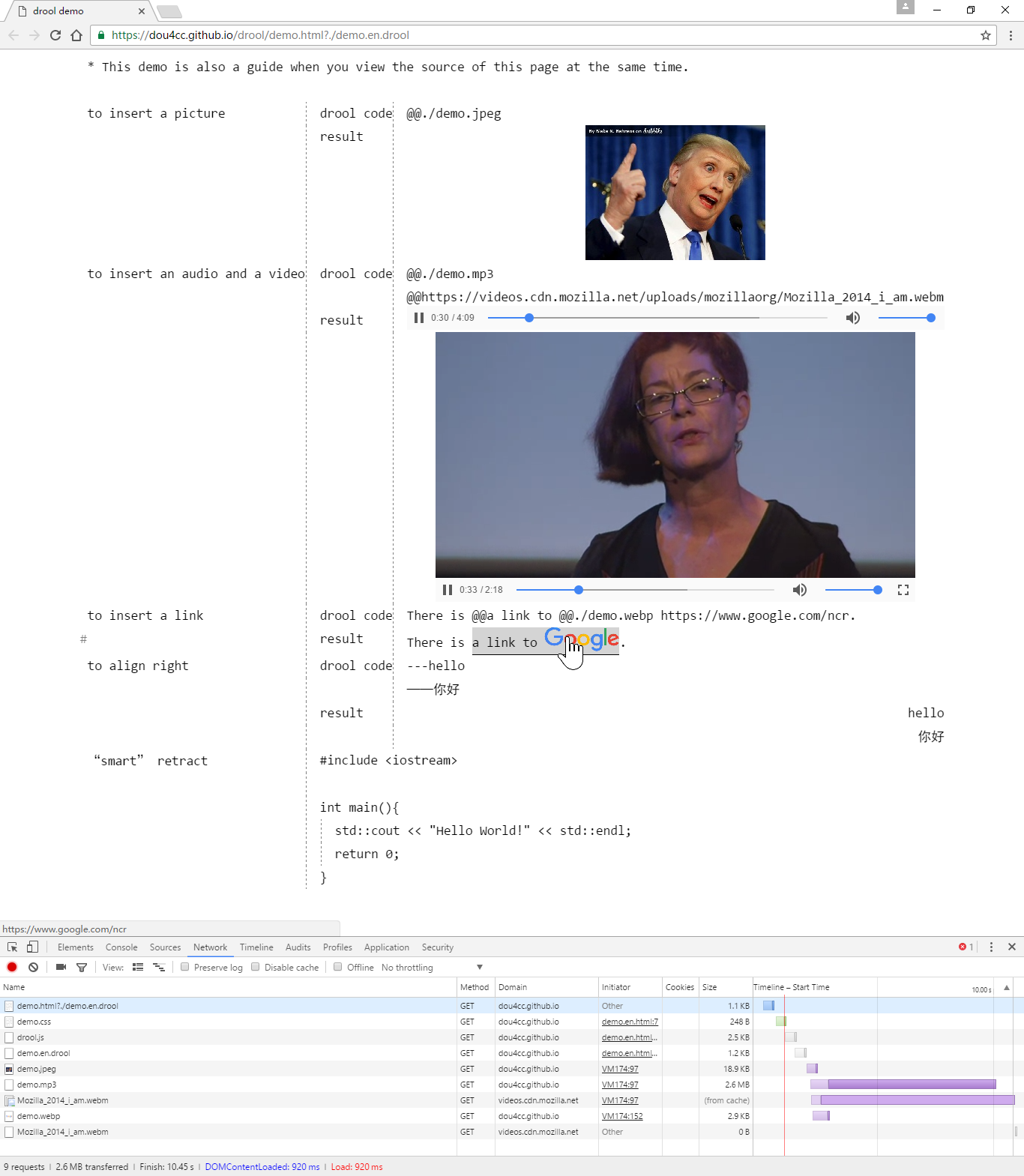
I am sorry that I used a few unstable features even Babel does not support which. If you are unable to open the demo, please refer to the screenshot.
There is a UTF-8 BOM in the head of every text file of this repository and I use \r\n to break lines. (You need not add a BOM to your drool file.)
————————
*something*编译成something?drool没有加粗、斜体之类的功能(*something*的可读性就很好了,不是吗?),但可用缩进(drool的缩进可用作表格,比如./demo.han.drool就包含一个表格,使用普通文本编辑器打开时为了不使表格混乱,应调宽tab-size,例如调成12ch)和右对齐表达文档结构,图片(音视频)、链接仍可插入。[、!之类的标识。drool不会像markdown那样让一篇文学文章看上去布满代码。详见demo。你的浏览器得支持Element.prototype.append、async (generator) functions、WebP、WebM、fetch API、CSS变量、CSS sticky position和完整的ECMAScript 6,我推荐使用启用了如下实验选项的Chromium或Chrome Canary:
抱歉使用了一些草案级别的、连Babel都不支持的特性,如果你打不开demo,请参考其英语版的截图。
因为使用了Windows和微软的编辑器,本仓库的每个文本文件头都有UTF-8的BOM,使用\r\n换行。
MIT